Does Wi-Fi Transfer work on Windows?
Yes. Use Chrome or Edge on a Windows PC connected to the same reachable local network.
With Hide Photos Pro, upload and download selected photos, videos and files between iPhone and a Windows PC or Mac browser over local Wi-Fi.
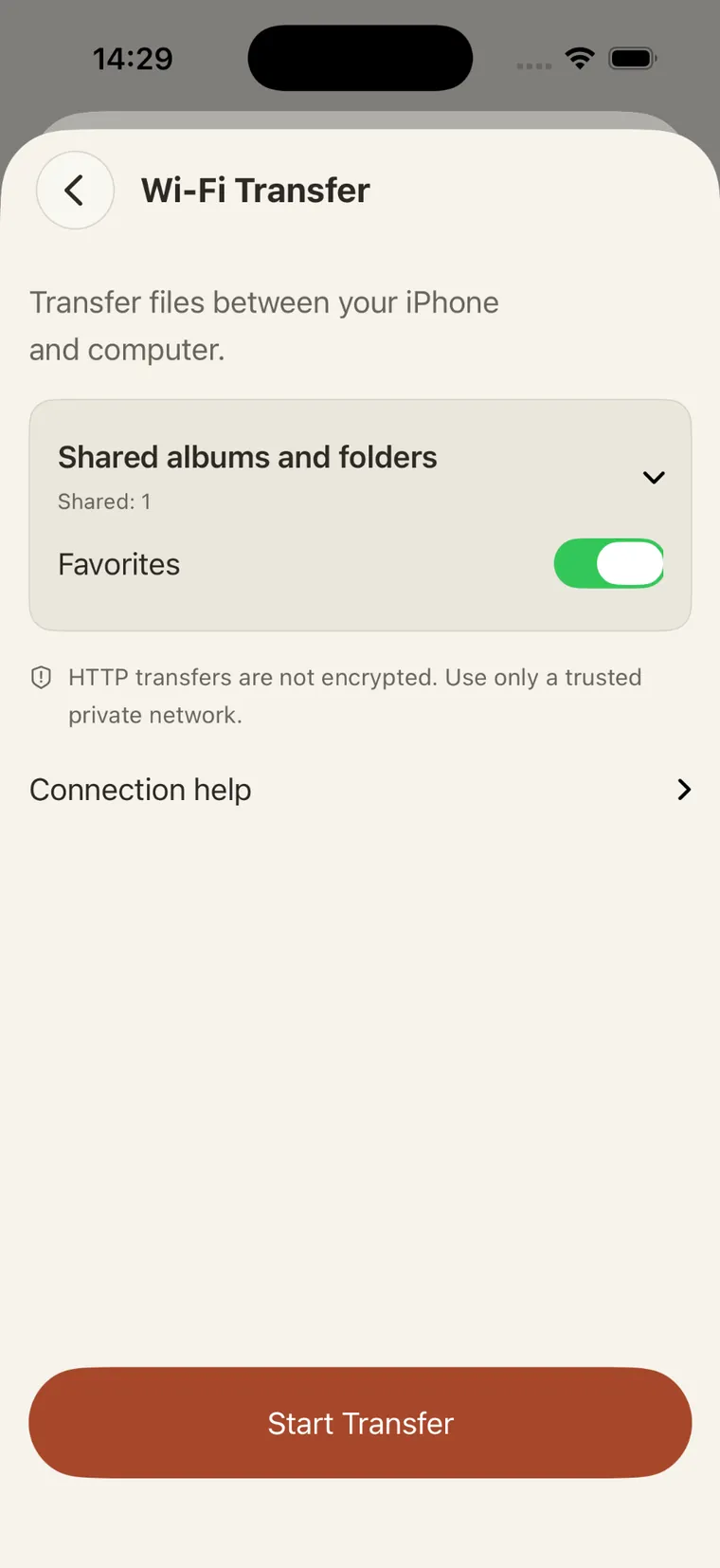
This is the actual Hide Photos screen before a transfer starts. Choose the albums and folders you want to share, then tap Start Transfer. When your computer requests access, approve it on the iPhone.
The screenshot shows the iPhone interface, not a Windows or Mac browser.
Wi-Fi Transfer exchanges files with a computer on demand. Encrypted iCloud Sync (Pro) synchronizes supported Apple devices using your iCloud account, and encrypted backup creates a separate recovery file.
Wi-Fi Transfer uses HTTP and does not encrypt files in transit. Use a trusted private Wi-Fi network, approve only computers you recognize, and stop the service when finished.
Yes. Use Chrome or Edge on a Windows PC connected to the same reachable local network.
No. This version uses HTTP without transport encryption. Use a trusted private network.
No. The transfer runs locally in a browser without a separate account or developer server.
Yes. Wi-Fi Transfer requires Hide Photos Pro. The app is free to download.
With Hide Photos Pro, upload and download selected photos, videos and files between iPhone and a Windows PC or Mac browser over local Wi-Fi.
Download Hide Photos ↗