Simple albums that stay organized
Separate albums let you group private media by purpose. Custom ordering and pin-to-top controls make frequently used collections easier to reach. Individual album locks add protection to selected collections.
 Hide Photos: Secret Album
A private photo vault should feel effortless to use. Explore the real Hide Photos interface, flexible album organization, decoy spaces, encrypted backups and genuine user feedback.
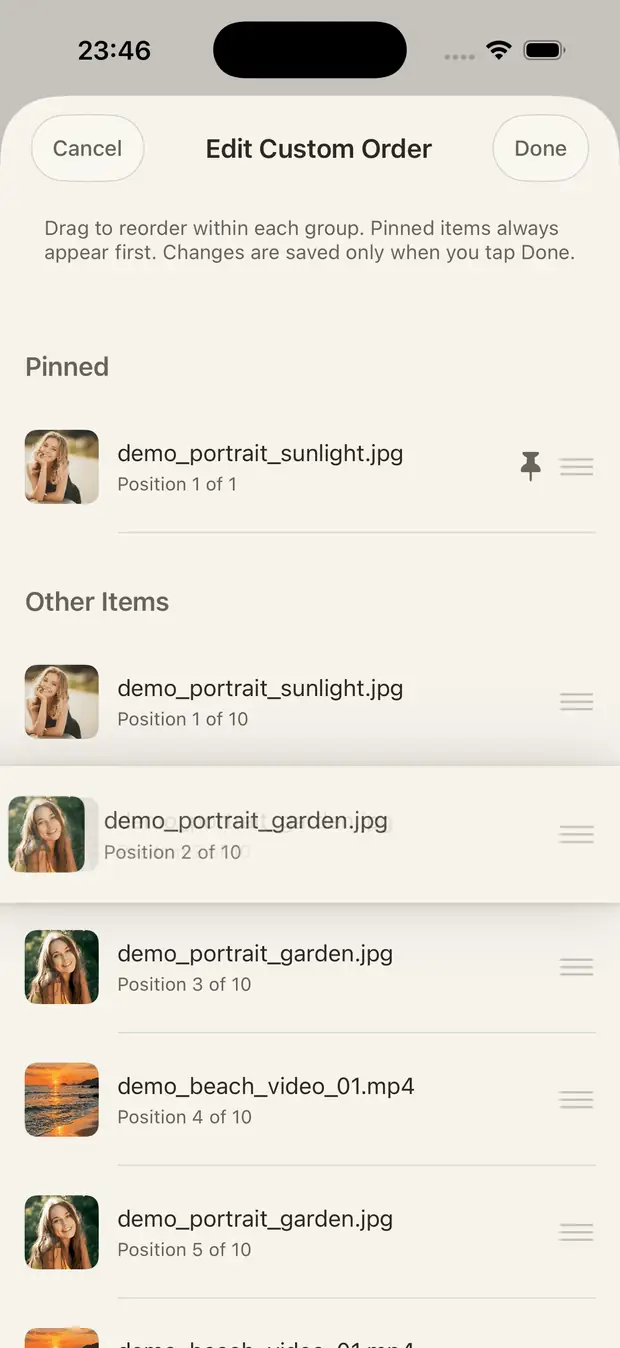
A good vault should help you find what you saved, rather than make every visit feel like a setup task.
Separate albums let you group private media by purpose. Custom ordering and pin-to-top controls make frequently used collections easier to reach. Individual album locks add protection to selected collections.
Batch importing and encryption have been optimized using concurrent work and fewer unnecessary interface updates. The aim is to reduce blocking when working with many files. Actual speed depends on device, media sizes, available storage, and whether originals must download from iCloud first.
Configure multiple alternate spaces with separate PINs instead of relying on a single secondary gallery. Feature availability can depend on your app version and Pro entitlement. Decoy vaults help with casual access separation, not every possible threat.
The released app also includes an Intruder Alert feature. Review the feature and its controls in the app settings; this page does not assume a specific alert method, data collection behavior, or notification destination.
Vault media uses on-device AES-GCM encryption without a Hide Photos cloud-storage account. Create an encrypted backup file and restore on a new iPhone with the required credentials. You remain responsible for the backup's location and safekeeping.
Screens from Hide Photos showing how common tasks work. Appearance may vary by version, device and subscription entitlement.
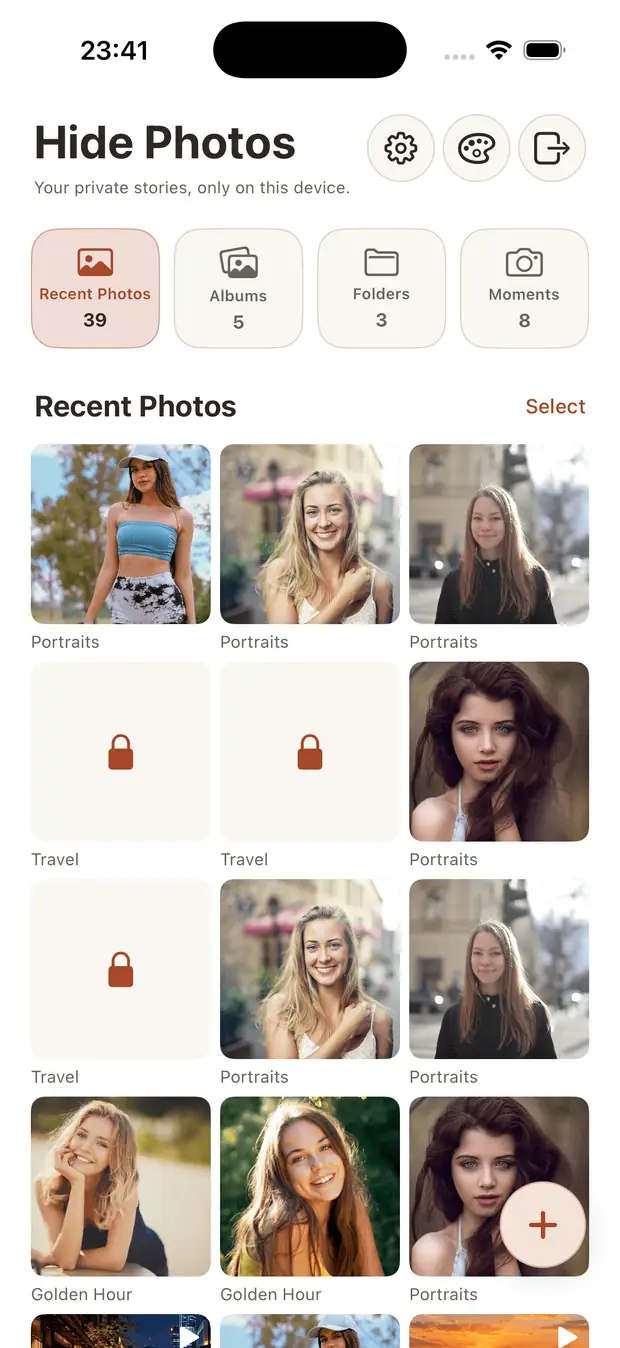
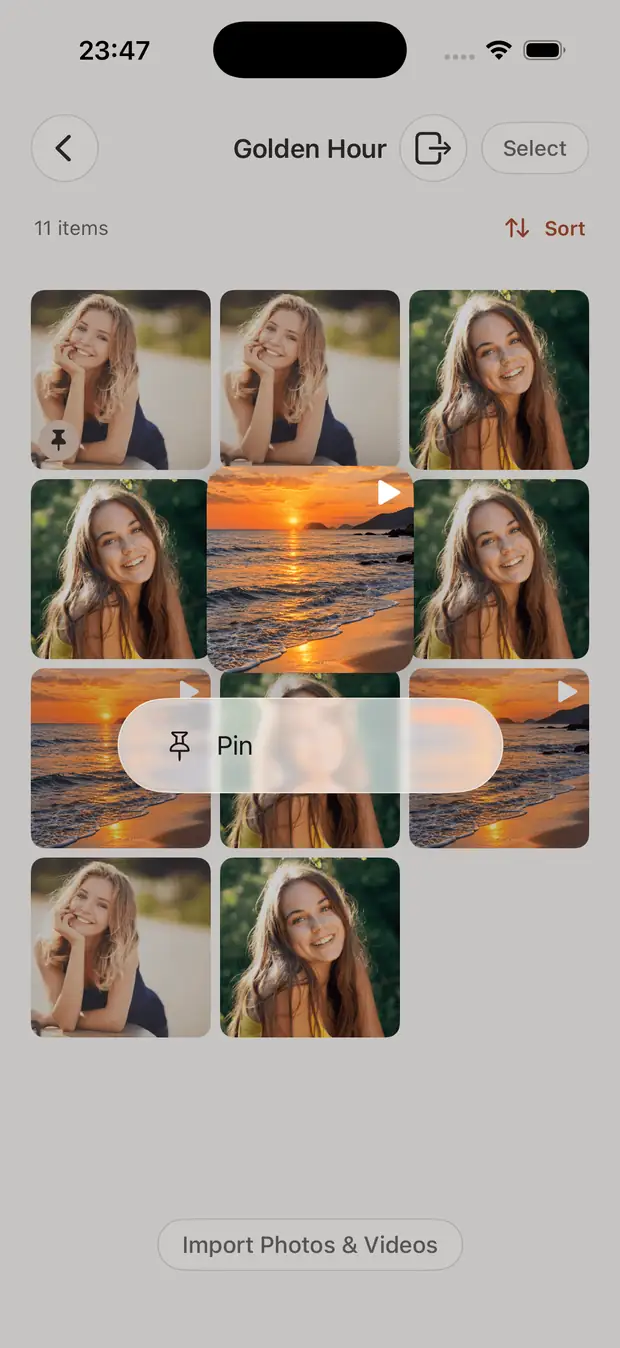
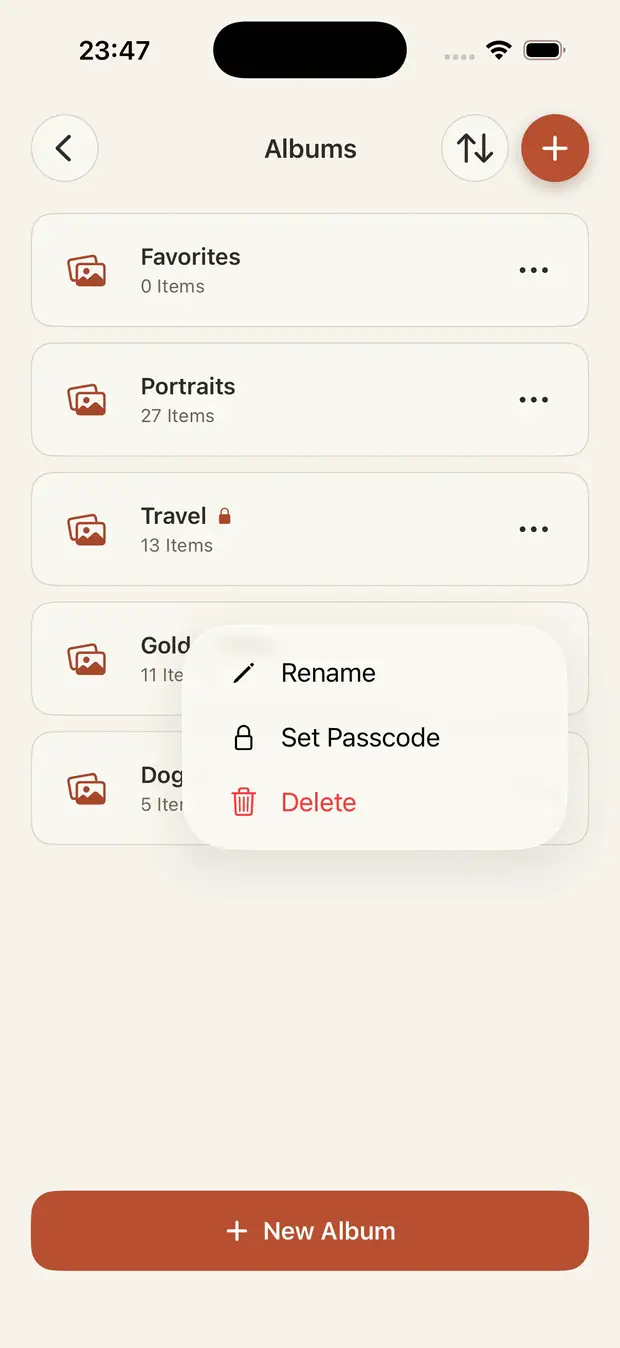
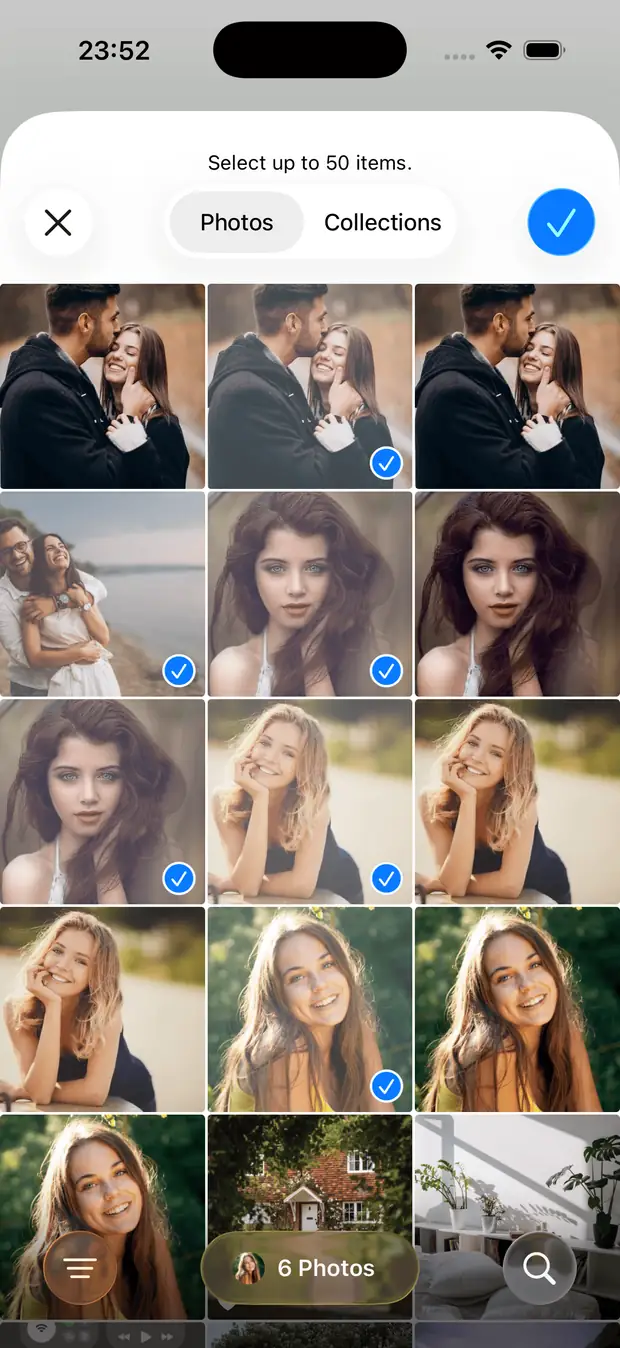
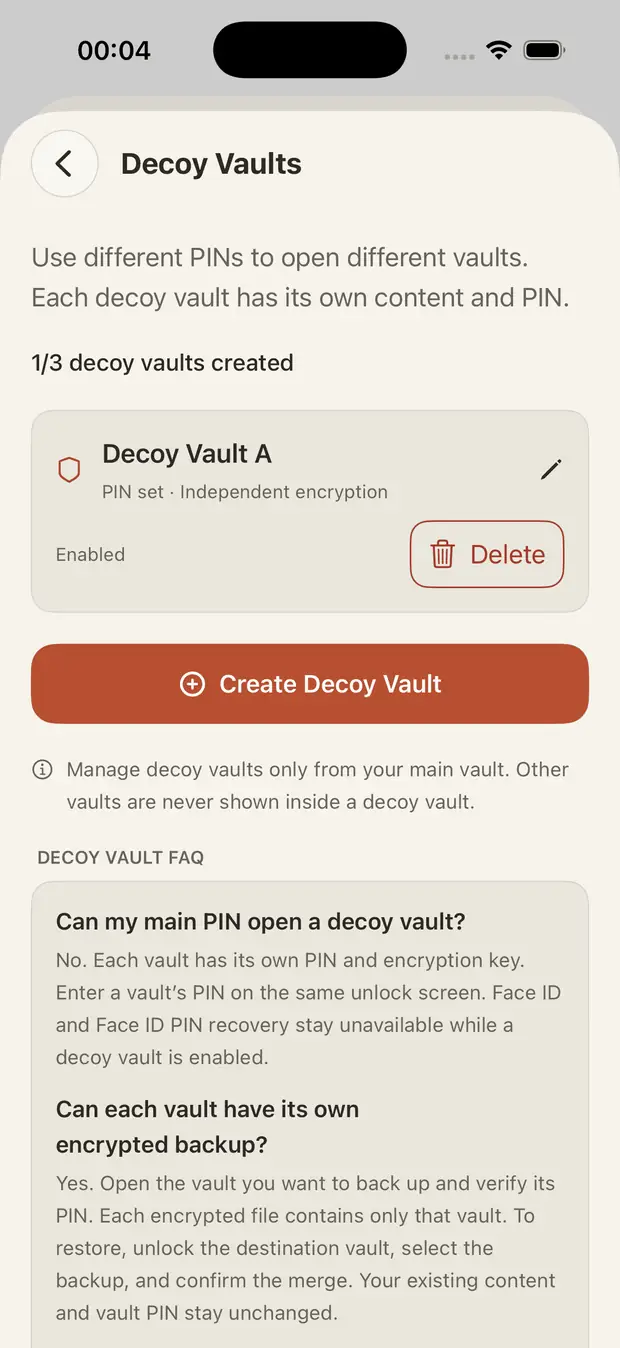
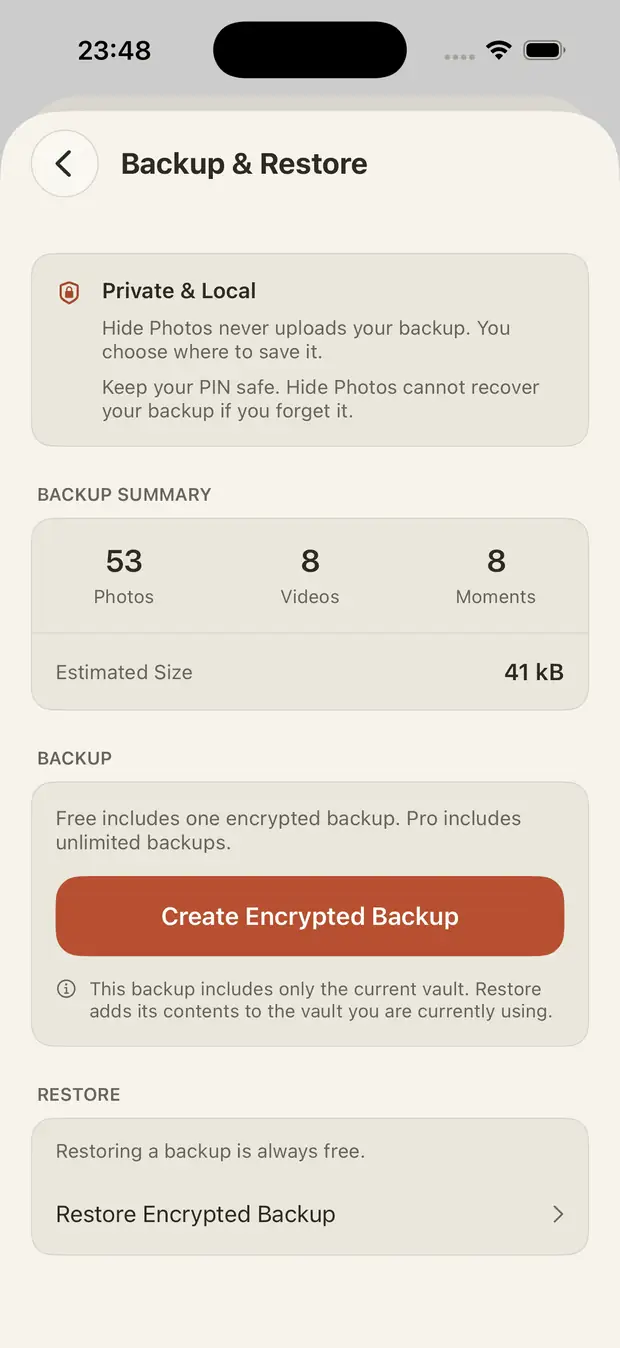
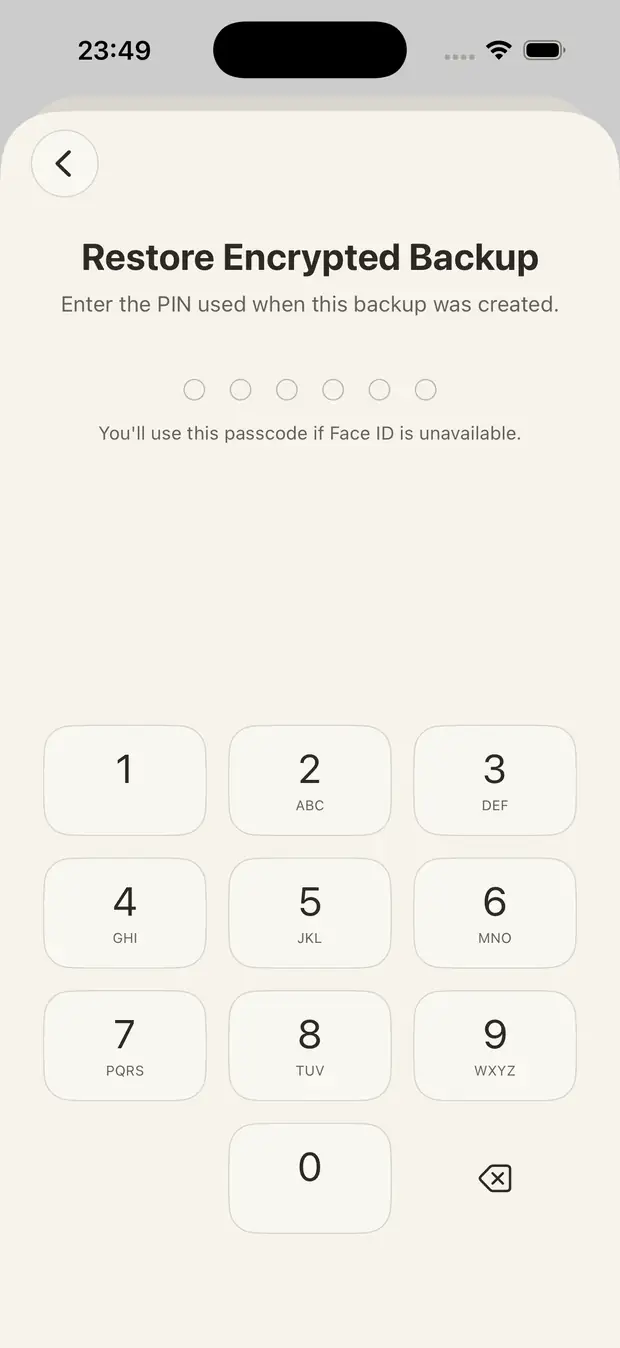
Screenshots illustrate features, not measured performance results. No screenshot demonstrates that one app imports faster than every competitor.
“편하게 사용할수있어서 좋아요”
“I like it because it's easy to use.” — English translation
This is a single Korean App Store review provided by the developer, describing version 1.6. It is not a verified aggregate rating, an independent usability study, or a review of later additions. The translation preserves the short, positive meaning of the original comment.
The right choice depends on whether you prioritize cloud convenience, separate protection, easy organization, or keeping your vault under your own control.
Hide Photos is local-first and does not require a developer account. A cloud-synced vault may be more convenient if you want provider-managed recovery, but that is a different storage choice.
A main PIN, optional Face ID, album-level locks, and up to three decoy vaults provide flexible ways to separate access. These are practical controls, not guarantees against coercion or device compromise.
Custom album sorting and pinning help turn a vault into a library you actually use. For people who regularly return to saved photos and videos, organization can matter as much as encryption.
You can export and restore your encrypted vault instead of depending on a Hide Photos cloud account. The tradeoff is manual backup responsibility: test restores and preserve your PIN and backup file.
This is the developer's product explanation, not an independent benchmark or an assertion that all other vault apps are slower, less secure, or harder to use. For a specific competitor comparison, see the Keepsafe alternatives guide.
Hide Photos: Secret Album is free to download for iPhone, with optional Pro purchases. Check the app for feature availability and regional pricing.